
Google Ads AI Max for Small Businesses: What to Know Before You Switch It On
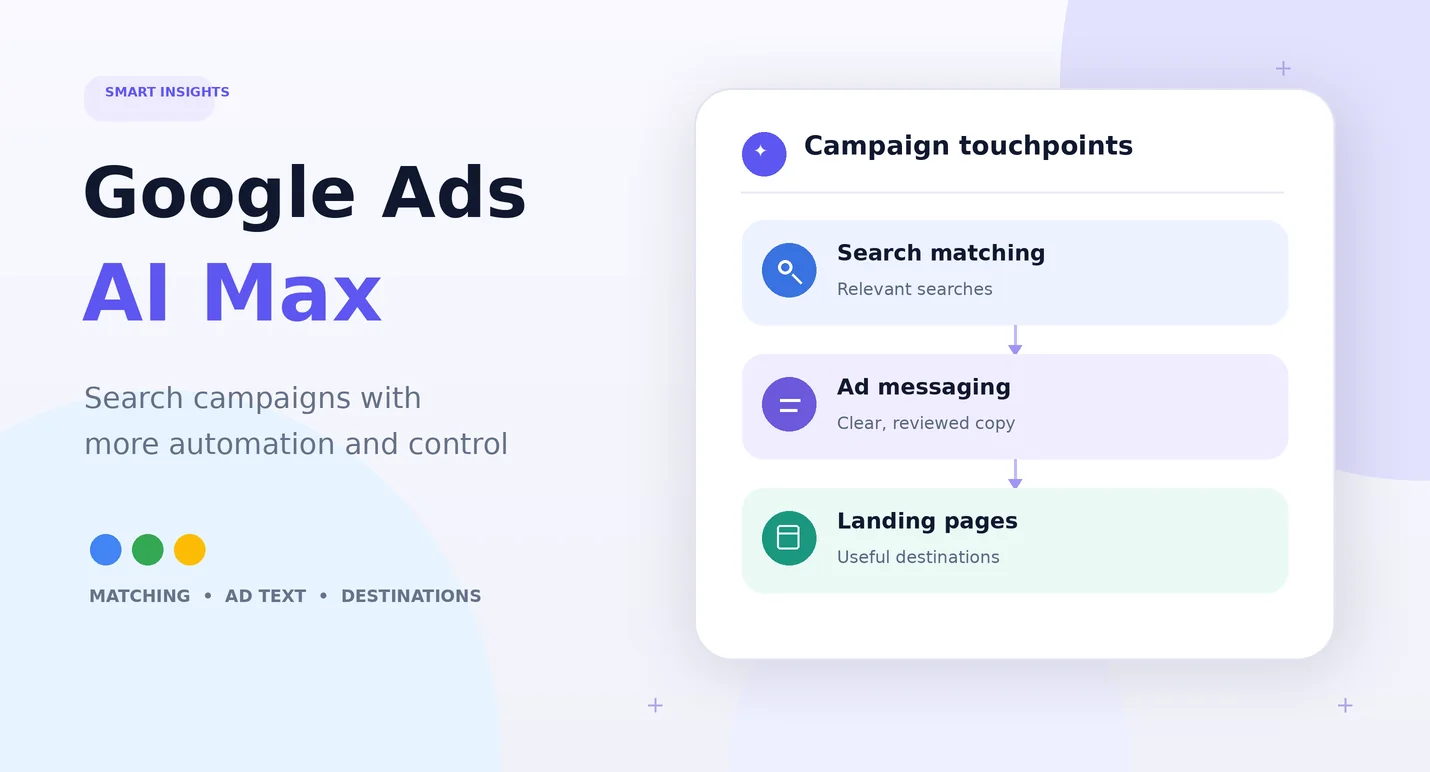
Google Ads AI Max changes how a Search campaign can find searches, write ad messages, and choose which page people see after clicking. For a small business, that could help an ad reach people who use different words than the ones in your keyword list. It can also send visitors to a page you did not choose as the original ad destination.
That flexibility can help, but it needs clear goals and regular checks. AI Max is not a separate campaign type. Google describes it as a set of features that works within Search campaigns. Before turning it on, make sure your conversion tracking is correct, your website pages are useful, and your team knows how to review the results.
What Is Google Ads AI Max?
AI Max is a set of automation features for Google Search campaigns. It can help Google match ads to a wider range of searches, create or adjust ad text, and choose a relevant page on your website for a visitor.
Google’s current setup instructions say AI Max is selected by default when creating new Search campaigns. Settings and rollout details can change, so check the options shown in your own account before launching. Read Google’s official AI Max overview for the latest details.
What Does AI Max Change?
1. It can match ads to more searches
A customer may search for “emergency furnace repair in Denver” while your account contains keywords such as “heating repair.” AI Max can use your keywords, ads, and website content to find related searches beyond a narrow list of exact terms.
This may help you reach people you would otherwise miss. It can also bring searches that are not a good fit. Review the actual searches and judge them by lead quality, not just by how many clicks they produce.
2. It can adjust headlines and descriptions
AI Max can use information from your existing ads and website to create text that fits a search more closely. That is useful when people search for different services or ask for different details.
The risk is that a message may not fit your offer, pricing, service area, or brand voice. Review the text that runs and set clear limits for words or claims your ads should not use.
3. It can choose a different landing page
With Final URL expansion enabled, Google may send a visitor to another relevant page on your domain instead of the URL you entered for the ad. For example, someone searching for “commercial roof repair” may be sent to a page about commercial roofing rather than your general roofing page.
This only helps if the site has accurate, useful pages. If your website has outdated offers, unclear service pages, or pages you do not want used for ads, review URL exclusions and landing page reports first.
What Small Businesses Should Check Before Testing AI Max
1. Check conversion tracking. Make sure calls, forms, bookings, purchases, or other valuable actions are recorded correctly. If the tracking is wrong, automated bidding can learn from the wrong results.
2. Review your website pages. Remove outdated offers, fix broken pages, and make sure each service page explains what you provide and where you provide it.
3. Set a clear business goal. Decide whether the campaign should generate qualified inquiries, booked appointments, online sales, or another measurable result.
4. Set location and brand controls. A local company serving customers in Phoenix should not pay for leads from places it cannot serve. Check the location settings and available brand controls.
5. Choose which pages ads may use. Exclude careers, login pages, old promotions, and other pages that are not suitable landing pages.
6. Make sure the campaign budget supports the goal. AI cannot make an underfunded campaign reach every suitable customer. Google notes that AI Max may not work effectively when a campaign is limited by budget.
7. Check your bidding setup. Google says features such as search term matching, text customization, and Final URL expansion work best with conversion-based Smart Bidding strategies.
How to Test AI Max Without Losing Sight of Your Budget
Do not treat a new setting as a reason to stop managing your campaign. Use a simple test plan so you can tell whether the change is helping.
1. Record a baseline. Note your recent spend, qualified leads, cost per qualified lead, conversion rate, and the search terms that bring good customers.
2. Make the change in a controlled way. Decide which AI Max features to use and document the settings before you launch.
3. Review search terms and destinations often. Check whether the search, ad message, and landing page make sense together.
4. Judge lead quality. A form submission is not always a good lead. Check whether the person fits your service, location, and budget.
5. Compare results with the baseline. Give the test enough time to collect useful data, but do not wait to fix clear waste or broken tracking.
Google provides reporting for search terms, keywords, assets, and landing pages. Its AI Max reporting guide explains how to review headline and landing page combinations, as well as traffic linked to AI Max features.
AI Max Cannot Fix a Weak Offer or a Poor Website
Automation can help choose and adjust ads, but it cannot make an unclear offer attractive. If your website does not explain what you do, the price or next step is hard to find, or the form fails on a phone, more traffic may only create more waste.
Before you expand a campaign, make sure your service pages answer real customer questions. Keep the offer clear, give visitors a simple next step, and track the outcomes that matter to your business.
Frequently Asked Questions
Is AI Max the same as Performance Max?
No. AI Max is designed to add automation features to Search campaigns. Performance Max is a different campaign type that can show ads across multiple Google advertising channels.
Should every small business enable AI Max?
Not automatically. The right choice depends on tracking quality, website content, campaign setup, budget, and how closely you need to control search terms or landing pages. Review the options and test them against a clear goal.
Can AI Max send visitors to the wrong page?
It can select a page that is not ideal for a specific business goal if the site content or settings do not guide it well. Review landing page reports and use URL controls to keep unsuitable pages out of the campaign.
Use Automation With a Clear Plan
Google Ads AI Max can open up new ways to match searches and shape ads. It should still be managed around real business goals, accurate tracking, strong landing pages, and regular checks.
SmartHire Technologies helps US businesses manage Google Ads campaigns and improve the pages that turn clicks into inquiries. Request a campaign review before making major changes to your setup or budget.
Interested in learning more about our solutions? Read about our Google Ads services.
Use Automation With a Clear Plan
Request a campaign reviewRelated articles
Google Ads Landing Pages: Fix Clicks but No Leads
Getting Google Ads clicks but no leads? Explore common landing-page problems, useful fixes and a practical review checklist.
Google AdsGoogle Ads ROI: What's a Good ROAS? Benchmark & Optimization Tips
Confused about ROAS? This guide covers industry benchmarks, what's realistic for your business, and how to improve your Google Ads ROI.